How to Register for the CITI Program Courses at Fresno State
Visit the CITI program website: https://about.citiprogram.org/en/homepage/
First time registration on the CITI program website:
Find the register button on the upper right portion of the home page, and click it to bring up the registration page.

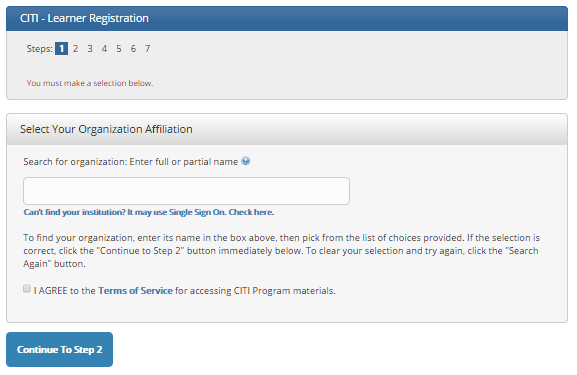
Step 1 Type in California State University, Fresno as your Organization Affiliation.
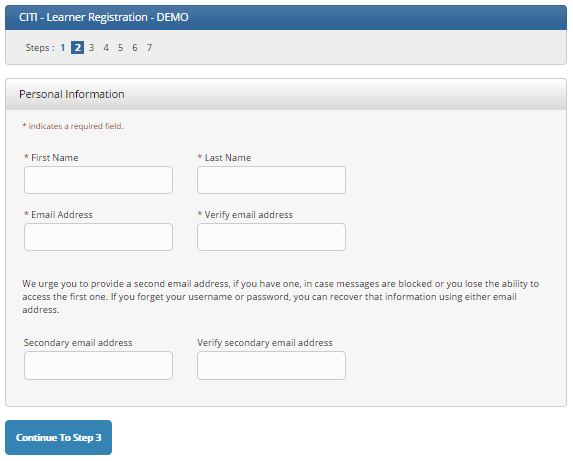
Step 2 CITI requests that you enter your first and last name along with your email address. Please enter your name here as you would like it to appear on your completion report received at the end of the course.
While not required, we do encourage entering a secondary email address. It will assist in the recovery of your account if you forget your username or password and no longer have access to your primary email address.
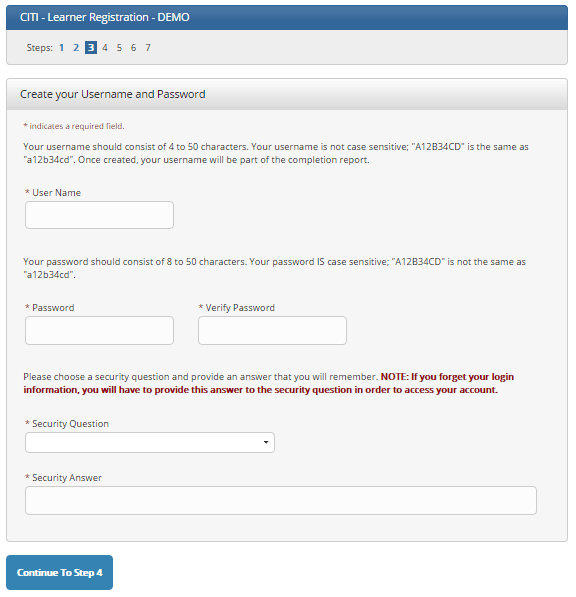
Step 3 You will choose a username and password for your account. Please follow the on screen instructions for the expected parameters of each field. Passwords are case sensitive.
During this step you will also select and answer a security question. This question will be used to assist in the recovery of your account if you have forgotten your username or password. Please select a question that is applicable to you and which you can comfortably answer for the tech support team.
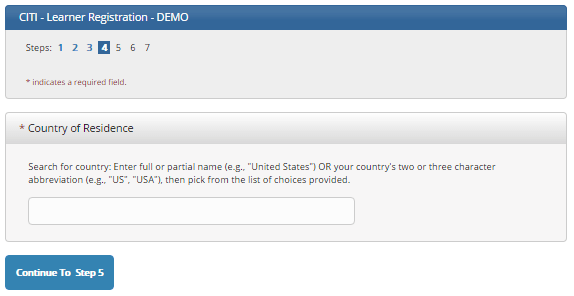
Step 4 Asks for your country of residence.
Step 5 Professionals seeking credit for CITI Program courses can make their selection for Continuing Education credits here.
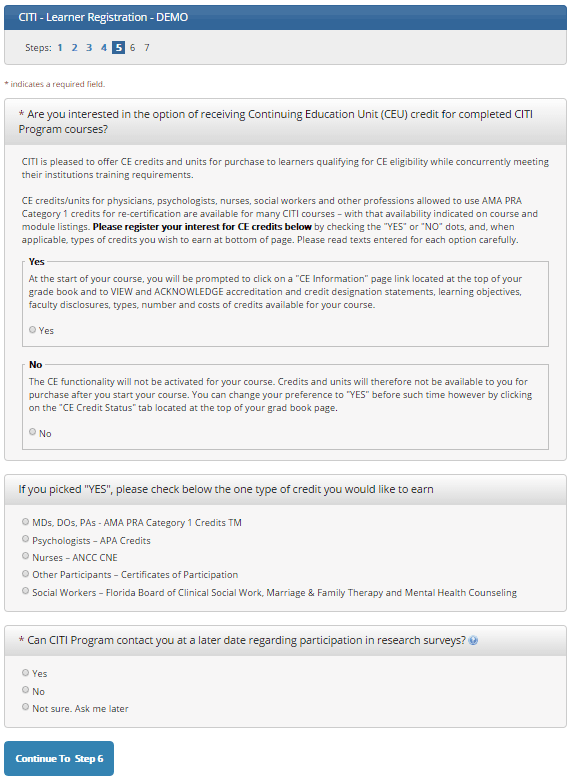
This step is where you can also let us know your interest in participating in research surveys.
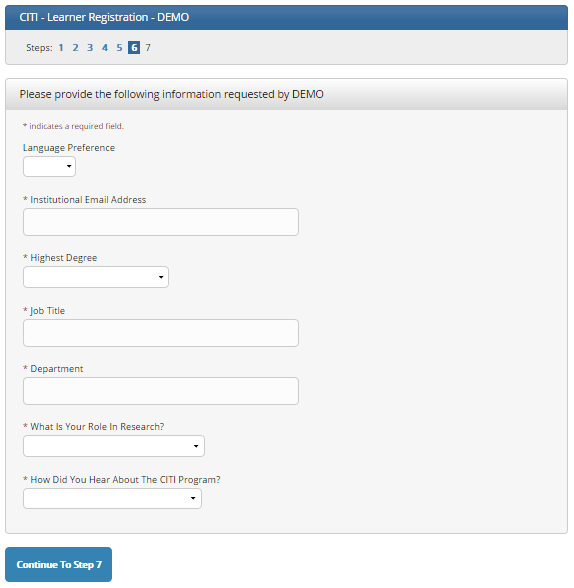
Step 6 is organization specific. Each organization determines the fields listed on this page and what information is required or optional. Required Fresno State fields include: Institutional Email Address, Department, and Role in Research.
The questions in Step 7 enroll you in CITI Program courses. These questions are set up based on the organization specific courses. Please read each question carefully to ensure you are enrolled in the correct course. Fresno State curriculum includes: Human Subjects Research (HSR), Institutional/Signatory Officials & IRB Chair, Good Clinical Practice (GCP), Information Privacy & Security (IPS), Responsible Conduct of Research (RCR), Conflicts of Interest (COI), and Laboratory Animal Research.
If a required course is not listed, or you would like guidance with course selection, please contact our Research Compliance Officer, Svetlana Bagdasarov, at svetlanab@mail.fresnostate.edu.
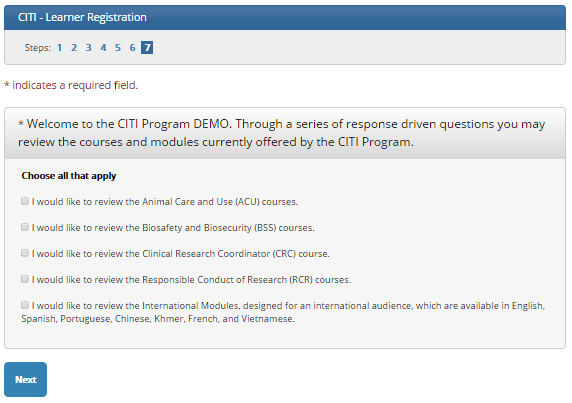
After selecting your courses, click on Finalize Registration.
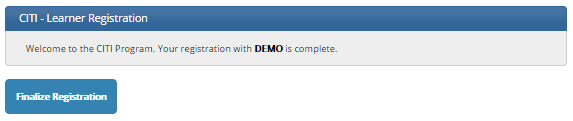
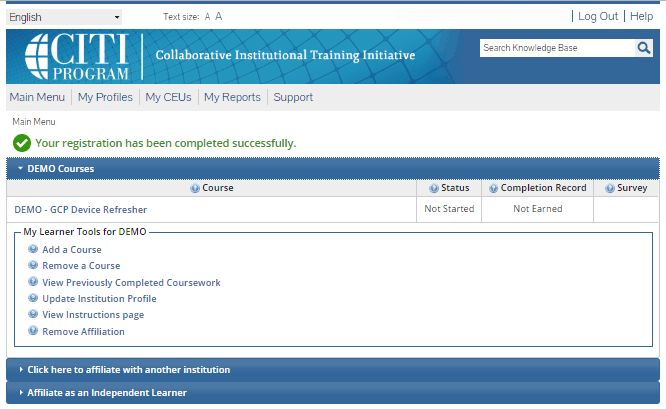
Your learner account registration is complete.
You will now be able to access the Main Menu of your account.
Click on the course name to begin the course. If you need to change your course registration, click on Add a Course or Update Learner Group.
Rev. 10/13/2017
This PDF is provided as a print-only reference document and may not be fully accessible to users of assistive technology. For more information, please visit Title II Rule on Digital Accessibility page.