New Drop/Withdrawal Workflow Fall 2022
Fall/Spring Semester Drop Deadlines
1st day of instruction through 19th day of instruction:
*Students drop themselves online 1st-19th day without permission. No “W” grade is
recorded.
Fall/Spring Semester Drop Deadlines
After the 19th day of instruction through before the last 3 weeks of instruction:
NEW WORKFLOW SYSTEM IN PLACE OF PAPER FORM. “W” grades are now recorded.
Student
Class Dept.
Chair
Registrar
Office
Class
Instructor
Drop request
processed.
Student notified
via email of
dropped
class(es).
Stops - student receives denial email
Yes
Dean of
UGRD/GRAD
Yes
No
Class Dept. Yes
Chair
No
No
Yes
No
Fall/Spring Semester Drop Deadlines
Last 3 weeks of instruction:
NEW WORKFLOW SYSTEM IN PLACE OF PAPER FORM. “W” grades are recorded, but do
not count toward the 18-unit Undergraduate student limits. No
Student
Dean of
Yes or No UGRD Yes Registrar
Office
Class
Dept.
Chair
Stops - student receives denial email
Dean of
GRAD
Class
Instructor Yes or No
Drop request
processed.
Student notified
via email of
dropped
class(es).
Student Process
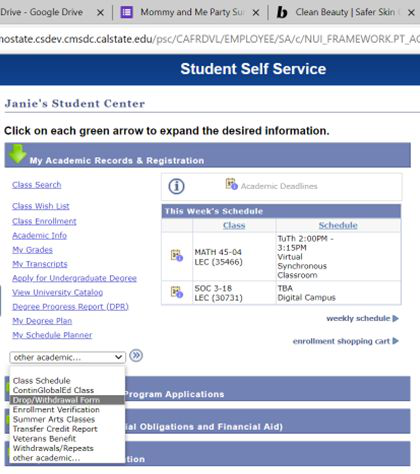
Student Center Menu
- Navigate to the ’My Academic Records & Registration’ section
- Click on the drop down menu
- Select Drop/Withdrawal Form
- Hit the blue double arrow button to the right of the drop down box
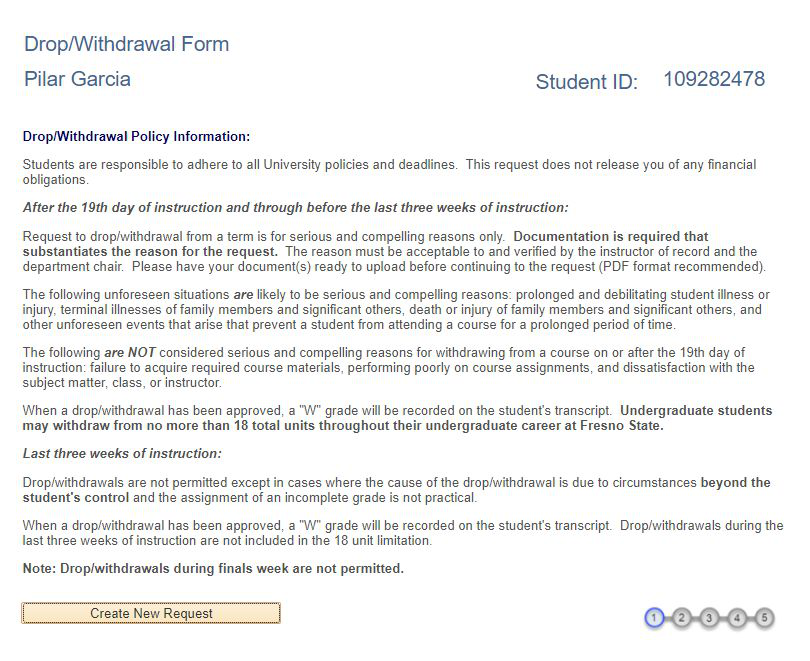
Main Page for Student Requests
Student Name
• Please read this page carefully before continuing with your request.
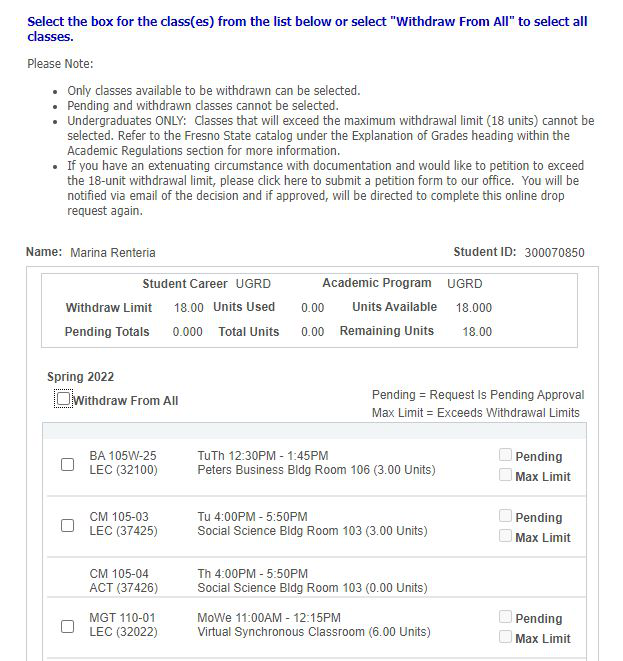
Course Selection & Unit Limitation
- Shows how many units are remaining from UGRD 18 unit withdraw limit
- Will not allow student to select class(es) if over the unit limit

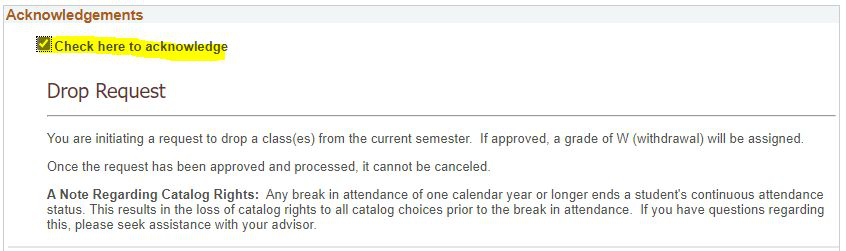
Acknowledgements
All students will receive the below acknowledgement.
Only those students who are active in the following groups will receive additional
acknowledgements:
- Financial Aid
- EOP
- International students
- Veteran students
- Student Athletes
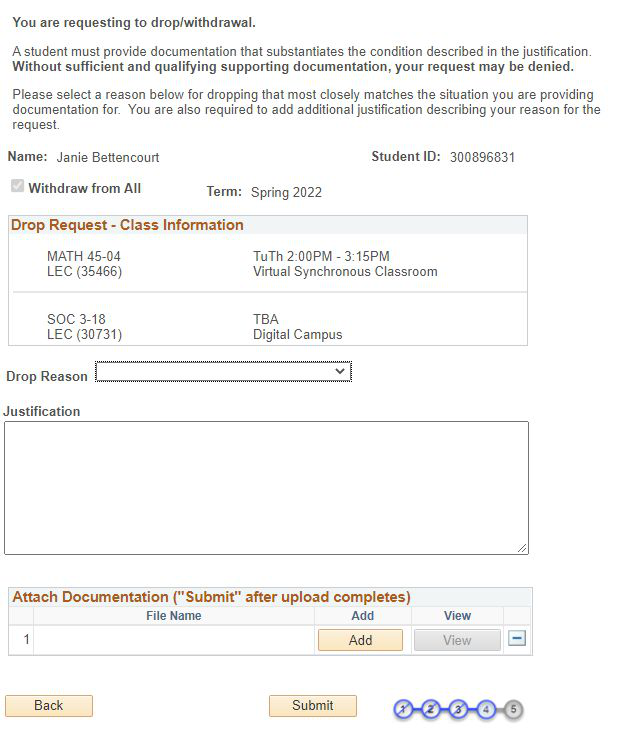
Submitting Request
- Select the reason that best categorizes why you are requesting to drop
- Drop down menu will include:
- Financial
- Medical
- Mental Health
- Military
- Other
- Personal
- Drop down menu will include:
- Must also provide more detailed justification
- Documentation is REQUIRED and will be viewed by the Instructor, Department Chair and/or Dean of Undergraduate or Graduate Studies.
Submission Complete - DONE!
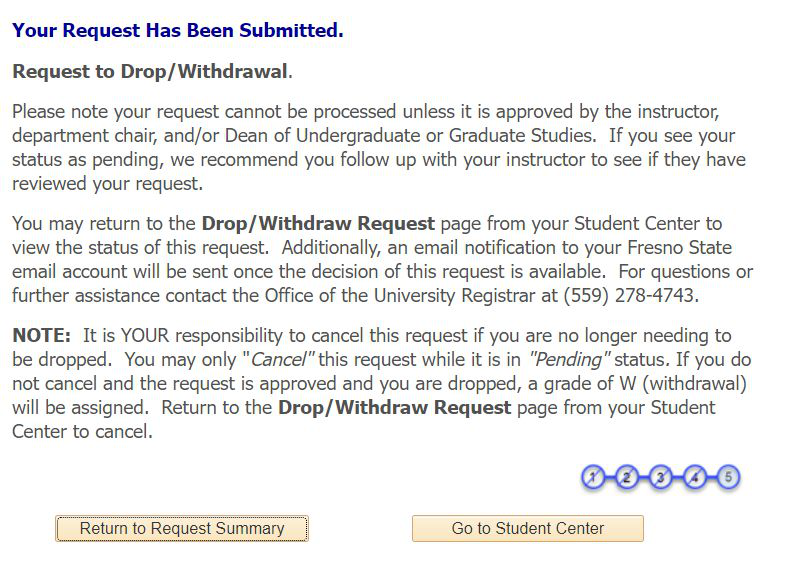
Workflow Complete!
Once the student submits a request, it gets automatically routed to the instructor. After the instructor completes it, requests are automatically routed to the Department Chair of the class being requested. Drops are additionally routed to the Dean of Undergraduate/Graduate Studies if the instructor and chair do not agree on a decision. During the final three weeks of the semester, all requests are routed to the Dean of Undergraduate/Graduate Studies. The Dean’s decision is considered final and students will be sent an email of both approved and denied requests.
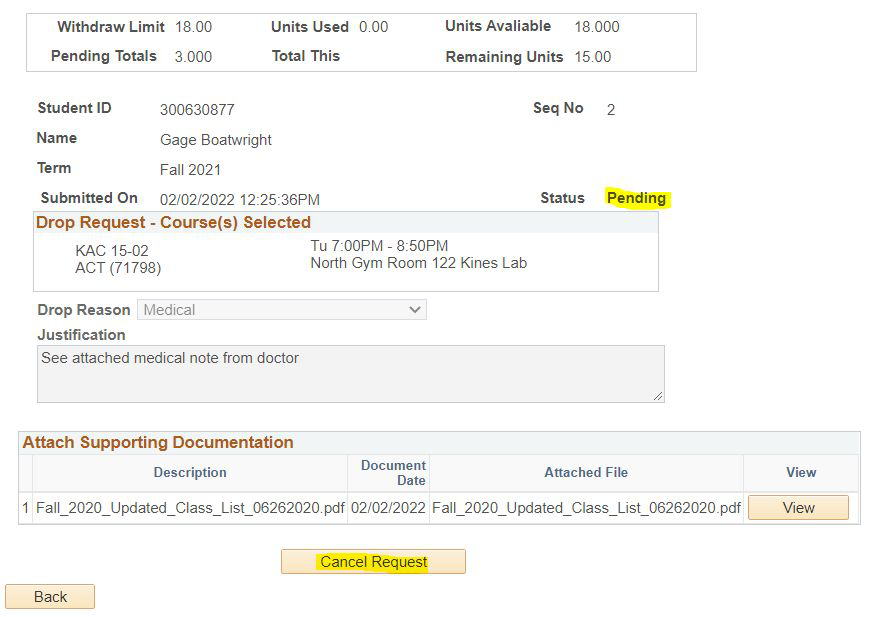
Student Process: Viewing or Canceling Submitted Requests
View Request Summary: Go back and check the status of your request.
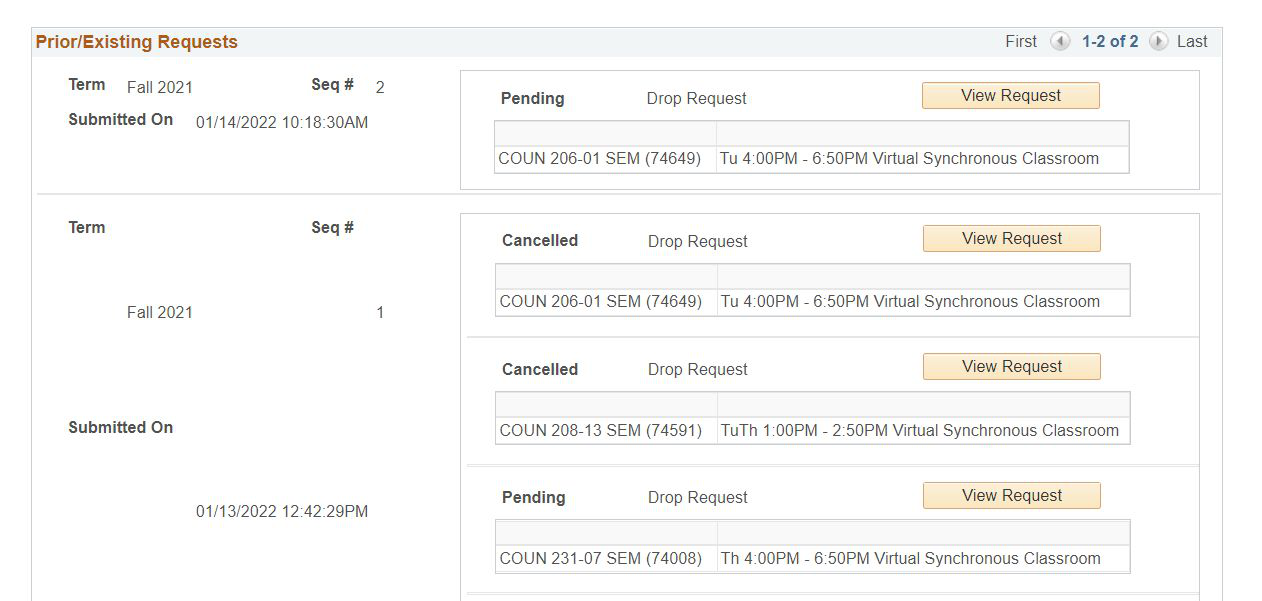
Change your mind? Students have an option to cancel a pending request
Note: Requests cannot be canceled once they are processed and approved.
This HTML version was generated with AI assistance and may contain errors or omissions. The original approved PDF remains the official document of record. An alternative accessible format is available upon request from the document creator in accordance with Title II of the ADA.