Office of IDEAS
Training Opportunities
Below you will find our upcoming workshops and training opportunities. Please register
to attend the sessions that interest you.
Don't see what you need or can't attend during the scheduled time? Let us know and
an Instructional Designer can meet individually with you.
Fall 2026 Workshops
Join the Office of IDEAS team to explore effective pedagogy, share your experiences, and learn from your peers to enhance your teaching and learning experiences. Session descriptions and calendar below.
📩 Have questions or a workshop idea? Contact the Office of IDEAS
Register for upcoming workshops
Turnitin Clarity Demo
Learn all about Turnitin Clarity and how to get started with this new tool.
Date: Friday, August 21
Time: 10am & 2pm
Modality: Zoom
Accessibility in Canvas
Learn how to improve the accessibility of your course materials on Canvas.
Date: Thursday, August 27
Time: 10:00 AM
Modality: In-Person (UL 2130)
What's New in Canvas
Learn about new and new-ish features in Canvas at Fresno State and see what's on the roadmap at Instructure.
Date: Friday, August 28
Time: 11:00 AM
Modality: In-Person (UL 2130)
Group Work with Canvas
Learn about setting up groups and peer review for student-to-student collaboration in Canvas.
Date: Wednesday, September 2
Time: 1:00 PM
Modality: Zoom
Group Work with Zoom Workplace
Learn about setting up Zoom AI Whiteboards, team recordings, and other features in Zoom that allow for student collaboration.
Date: Thursday, September 3
Time: 10:00 AM
Modality: Zoom
Group Work with Google Workspace
Learn about using the tools in Google Workspace to facilitate collaborative work with students.
Date: Friday, September 4
Time: 11:00 AM
Modality: Zoom
AI Assignment Design Workbook is designed to assist faculty in designing assignments that are grounded in teaching values, responsive to “jagged learner profiles”, and aligned with meaningful learning outcomes in an AI-influenced educational landscape.
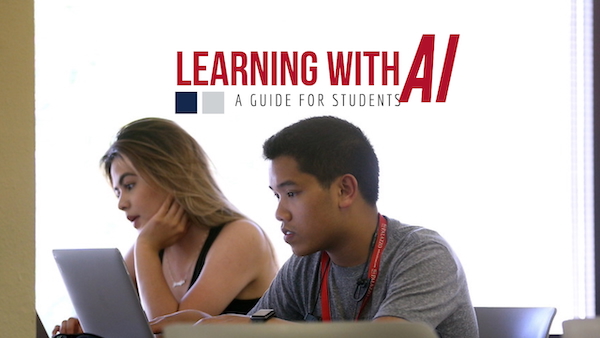
Learning with AI is a self-paced course for students to learn about responsible and ethical use of AI as a learning aid in their academic career.
Open Educational Resources is a self-paced course to introduce faculty participants learn to create, reuse, remix, redistribute, revise, and retain open-licensed content to combat course material costs and improve content relevance for students.
Growing with Canvas is a self-paced online tutorial for faculty who are new to using Canvas LMS who prefer to learn on their own, can't attend face-to-face workshops, or would like to review how to accomplish a certain task.
Organizational Development (HROD)
Organizational Development, a sub-unit of HR, creates and leads organizational and professional development programs designed to nurture a culture of change, continuous improvement, and innovation and build organizational and individual capacities within the Fresno State community. They support efforts to pursue excellence as a learning organization committed to innovation, improvement, workplace quality and wellness. HROD is a collaborative partner with the Office of IDEAS.
Fresno State is committed to developing our employees by providing training opportunities that will help participants LEARN personal and professional leadership skills, IMPROVE Fresno State and reduce administrative burden, SHARE ideas for improvements, innovations, and best practices, and CELEBRATE accomplishments, years of service, and success stories.
- CSU Learn
- CSU Learn is Fresno State's one-stop shop for on-campus and cross-campus learning
opportunities.
- CSU Learn is Fresno State's one-stop shop for on-campus and cross-campus learning
opportunities.
- Microsoft 365 Training Library
- Access tutorials and templates for a range of Microsoft Office products such as Word, PowerPoint, Excel, and One Note.
- Fresno County Public Library
-
Anyone with a Fresno County address can sign up for a Fresno County Public Library card electronically, to get immediate access to electronic resources and ebooks. To check out physical items, you will need to visit an FCPL branch to activate your account.
FCPL digital resources include Mango Languages, Kanopy, Overdrive eBooks, Peterson's Test Prep (online test prep/practice tests including GRE), and several digitized local history collections. If you don't live in Fresno County, check your local public library system's online resources. All libraries in the San Joaquin Valley Library System (SJVLS) allow residents of their services areas to sign up for an electronic card online, and many offer access to their online resources.
FCPL Resource Spotlight: LinkedIn Learning
LinkedIn Learning is an online tutorial service available through FCPL. It offers thousands of videos teaching everything from Adobe Photoshop to Microsoft Word & Powerpoint to Business and Finance.
-
Request a Workshop
The IDEAS Instructional Designers are available to come to your department meetings (or other scheduled time) to provide custom workshops to meet your needs. Here's a list of sample topics we have presented: Artificial Intelligence, Canvas course building, Exam development, Zoom Workspace, Panopto, Google Workspace, Academic Integrity, Project-Based Learning, Active Learning, Digital Badging, and more.
Request a workshop